

Updated On: 03/07/2026
How to Spot a Fake SD Card?
Fake SD cards are more common than people realise. Counterfeit Memory Cards look identical to the real thing out of the box. They pass the slot test, show the right capacity in your camera, and often work fine for small files. The problem only reveals itself when you're shooting fast bursts, recording video, or trying to recover footage you thought was safely written to the card.
The Rundown:
- Types of Fake SD Cards
- Ways to spot and avoid fake SD cards
- Testing Methods
- Find a genuine source to purchase
Why Fake SD Cards Are a Real Problem?
There are two common ways counterfeit SD cards are made:
The first is capacity flashing, a smaller card (say, 16GB) is reprogrammed to report a much larger capacity, like 256GB. The card appears full-size in your camera and computer, and will happily let you save files until it hits the real physical limit. At that point, rather than throwing an error, it silently overwrites your oldest files with new ones. You won't know anything is wrong until the images you thought you captured are simply gone.
The second method is speed mislabelling, a slow, low-quality card relabelled with a reputable brand's packaging and speed ratings. The card works, just nowhere near the performance you paid for.
A genuine SD Card from an authorised retailer is engineered and tested to the speeds on its label. A counterfeit is not, and the consequences range from buffer lockups mid-burst to unrecoverable footage.
The Price Is Too Good to Be True
Genuine high-performance SD cards carry a consistent market price across authorised Australian retailers. If a card is listed at 30–50% below that, it's the first and most reliable red flag. Counterfeiting is a margin game, the cards are cheap to produce and priced to feel like a deal.
Inspect the Packaging Closely
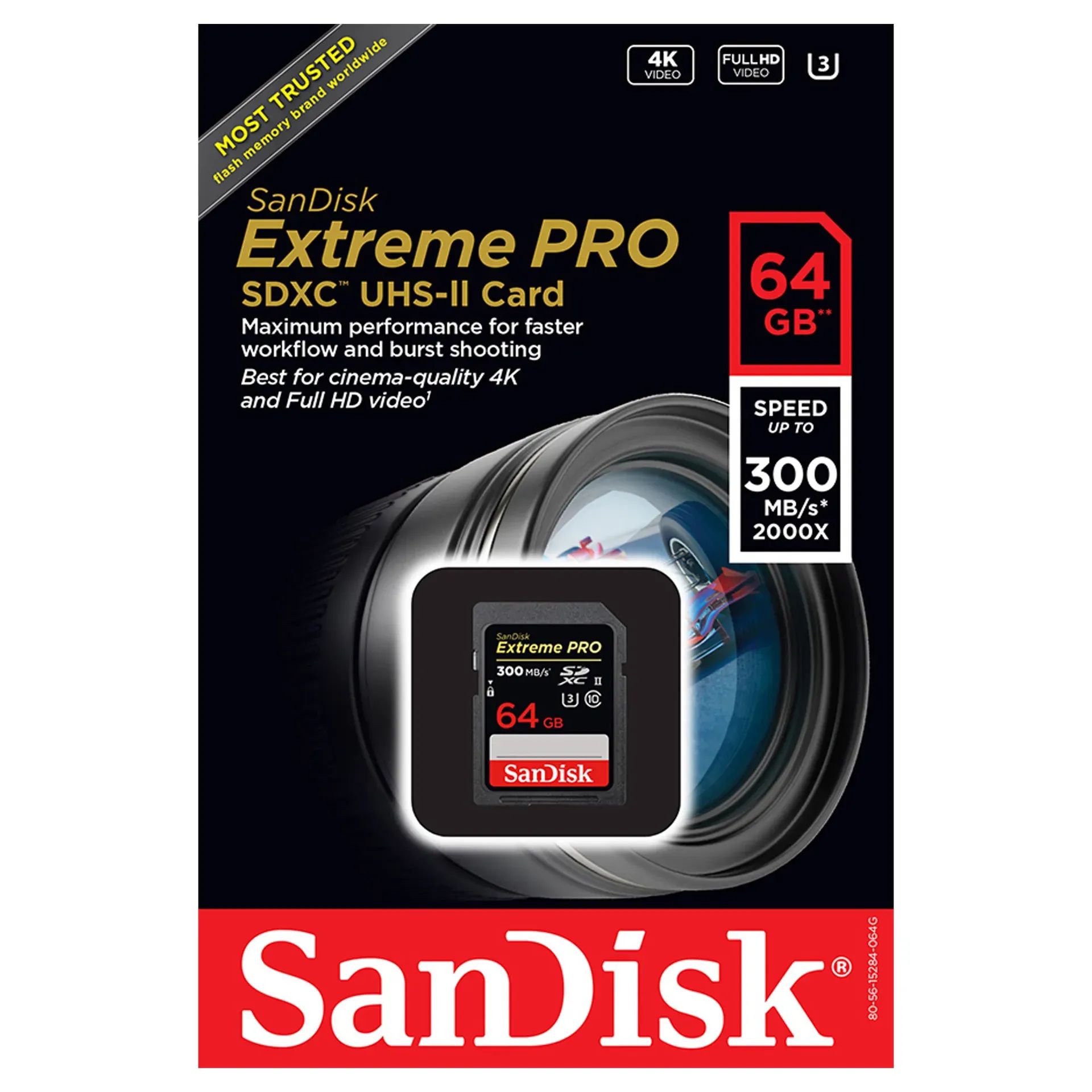
Compare what you have against official packaging from the manufacturer's website. The key things to check:
- Fonts, colours, and print quality should be crisp and consistent, faded colours, low-resolution text, and blurry logos are common on fakes
- The hanging hole on retail blister packs should be cleanly perforated, unperforated or poorly punched holes are a tell
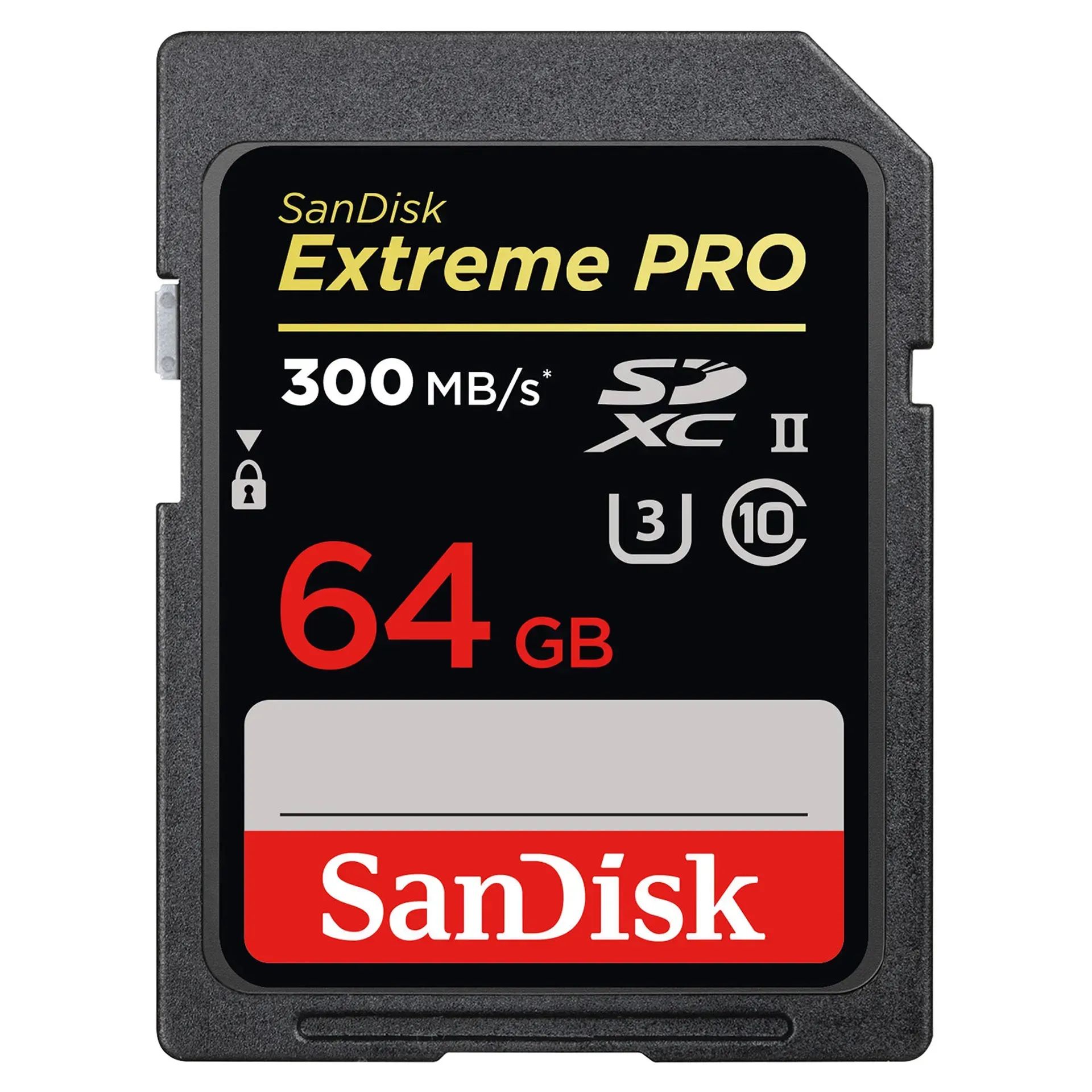
- Check the card itself for blurred text edges or incorrect plastic colours, genuine SanDisk cards use a grey plastic memory lock switch on the side; fakes have been found using yellow plastic
Test the Actual Write Speed
The speed printed on a card is its maximum read speed. Write speed is what matters in the field, and it's where fakes fall apart. Use a free tool like CrystalDiskMark (Windows) or Blackmagic Disk Speed Test (Mac) to measure real-world performance. Run the test via a quality Card Reader rather than a cheap hub to get an accurate result. A variance of more than 20% from the advertised speed is a strong indicator you have a fake card.
Check the Speed Class Markings
SD cards carry standardised symbols indicating their minimum sustained write speed. If you're unsure what those logos mean, our guide to SD Card Logos and Speed Ratings covers every marking you'll find on a card. A counterfeit will display the correct symbols but perform nowhere near the class they claim.
Verify the Full Capacity With H2testw
For a definitive capacity test on Windows, use H2testw:
- Insert the card into your PC
- Open H2testw and select English
- Click Select Target and choose your memory card
- Click Write + Verify
The process takes time depending on card size. A clean result reads "Test finished without errors", any errors mean you should contact SanDisk or the retailer directly. Check the reported capacity and speeds against the card's label. Again, a more than 20% difference in either is grounds for concern.
What to Do If You Think You've Been Sold a Fake
Stop using the card immediately and avoid formatting it if there are files on it. Attempt data recovery first using software like Lightroom or a dedicated recovery tool before anything is overwritten. Report the seller to the platform and to SanDisk directly, they have an anti-counterfeiting team that accepts reports.
Buy Genuine SD Cards in Australia
The simplest protection is buying from an authorised source. C.R. Kennedy is the official Australian distributor for SanDisk, stocking the full range of SanDisk SD Cards, microSD Cards, and CFexpress Cards, all sourced through official distribution channels with full Australian warranty. Online marketplaces can unknowingly carry counterfeits even from well-reviewed sellers, so buying direct from an authorised retailer remains the only guaranteed protection.
If you need more information on SD Cards and other camera accessories, check out more articles on the C.R. Kennedy Blogs.
Written by William Algar-Chuklin
Banner Photo: Philipp Katzenberger on Unsplash
William Algar-Chuklin is a night and travel photographer based in Sydney, Australia. You can check out some of his work at walgarch.com and on Flickr
